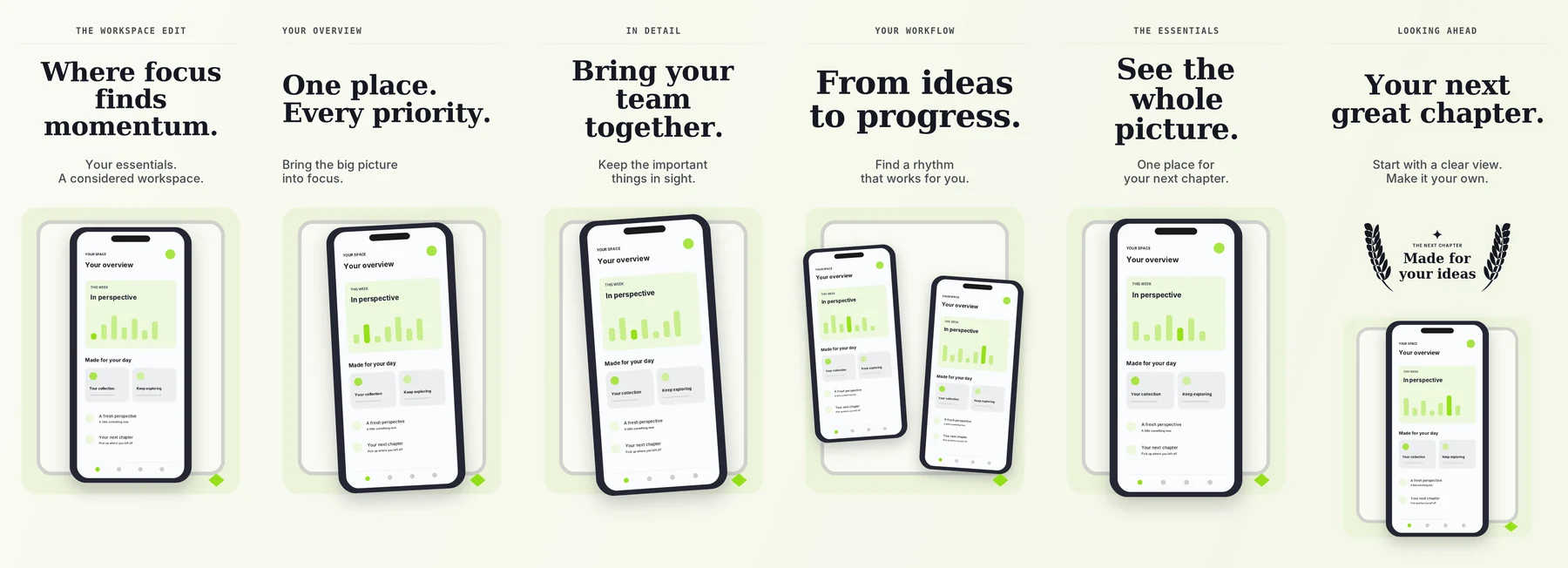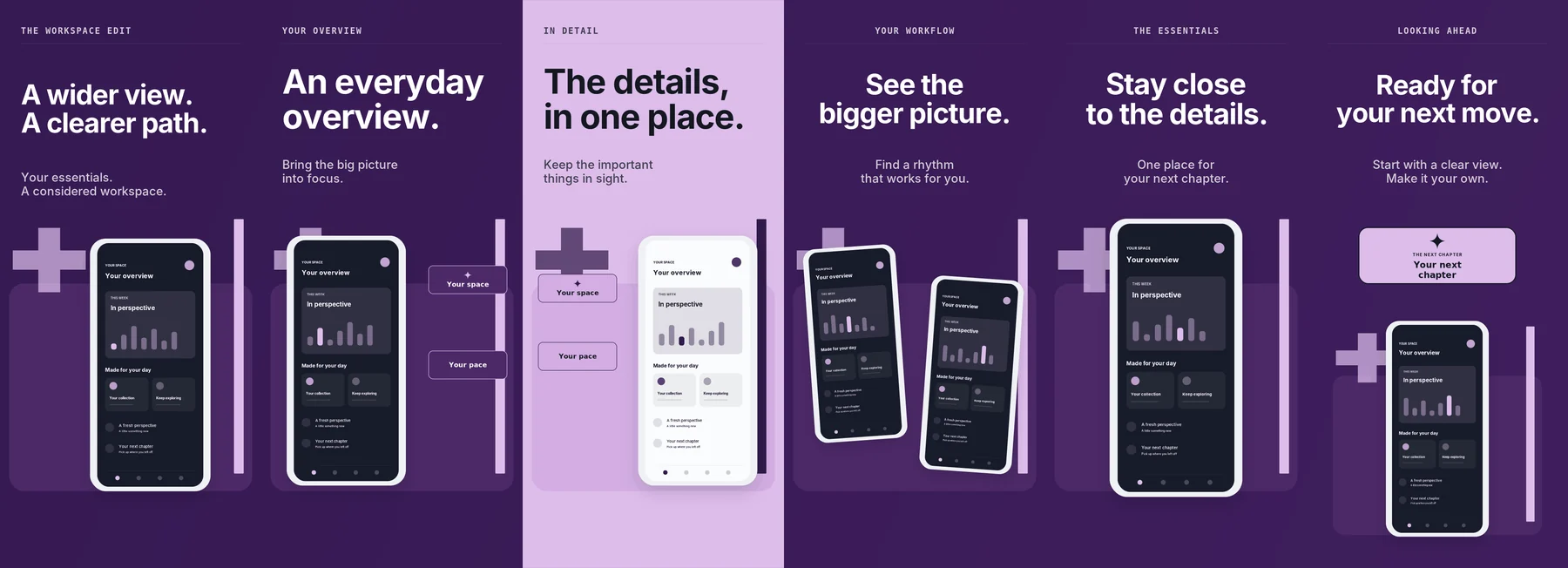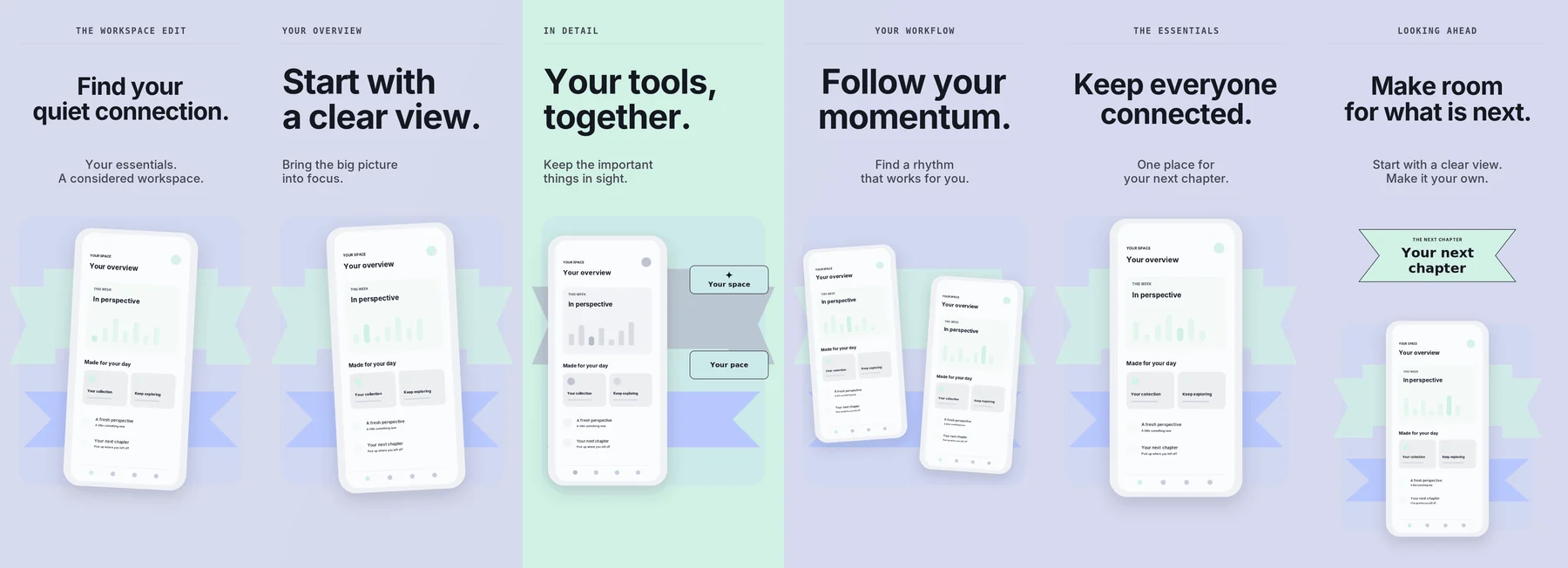
System100 themes · graphic + editorial
100 Native screenshot composition for macOS
Turn product screens into launch-ready stories.
Rumi Mock combines a real design workspace with curated themes, panorama composition, editable device frames, precise layer controls, local project files and production export.
Native macOS workspace•Continuous panorama•iPhone + iPad + Android•iPhone Duo•Editable layers•Solid + linear + radial + image backgrounds•Local .rumimock files•PNG + JPEG export
The product, not an approximation
A website that speaks the same UI language as the app.
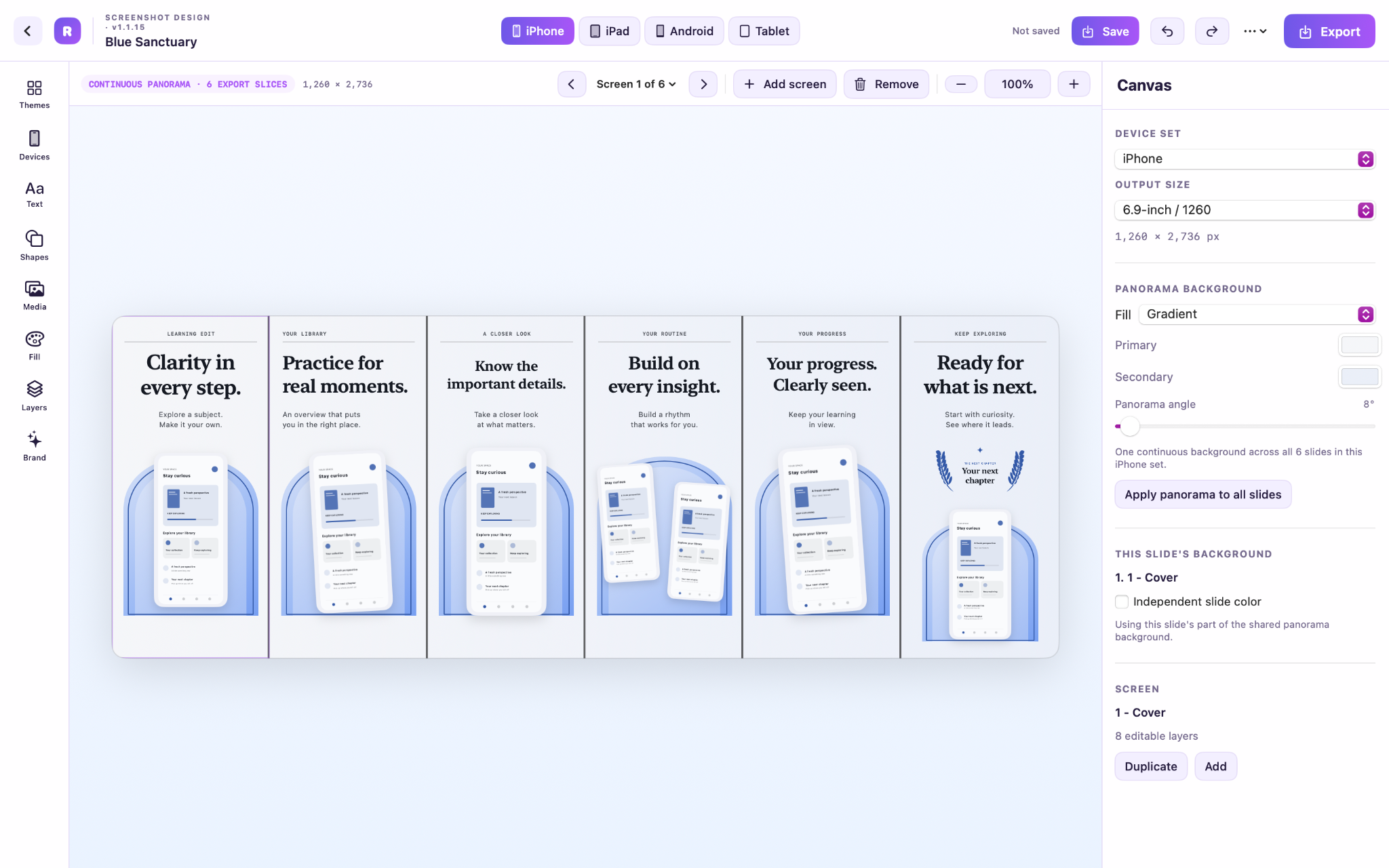
The live demo below mirrors Rumi Mock’s actual editor structure: top bar, device-family selector, panorama toolbar, tool rail, canvas, screen strip and properties inspector.
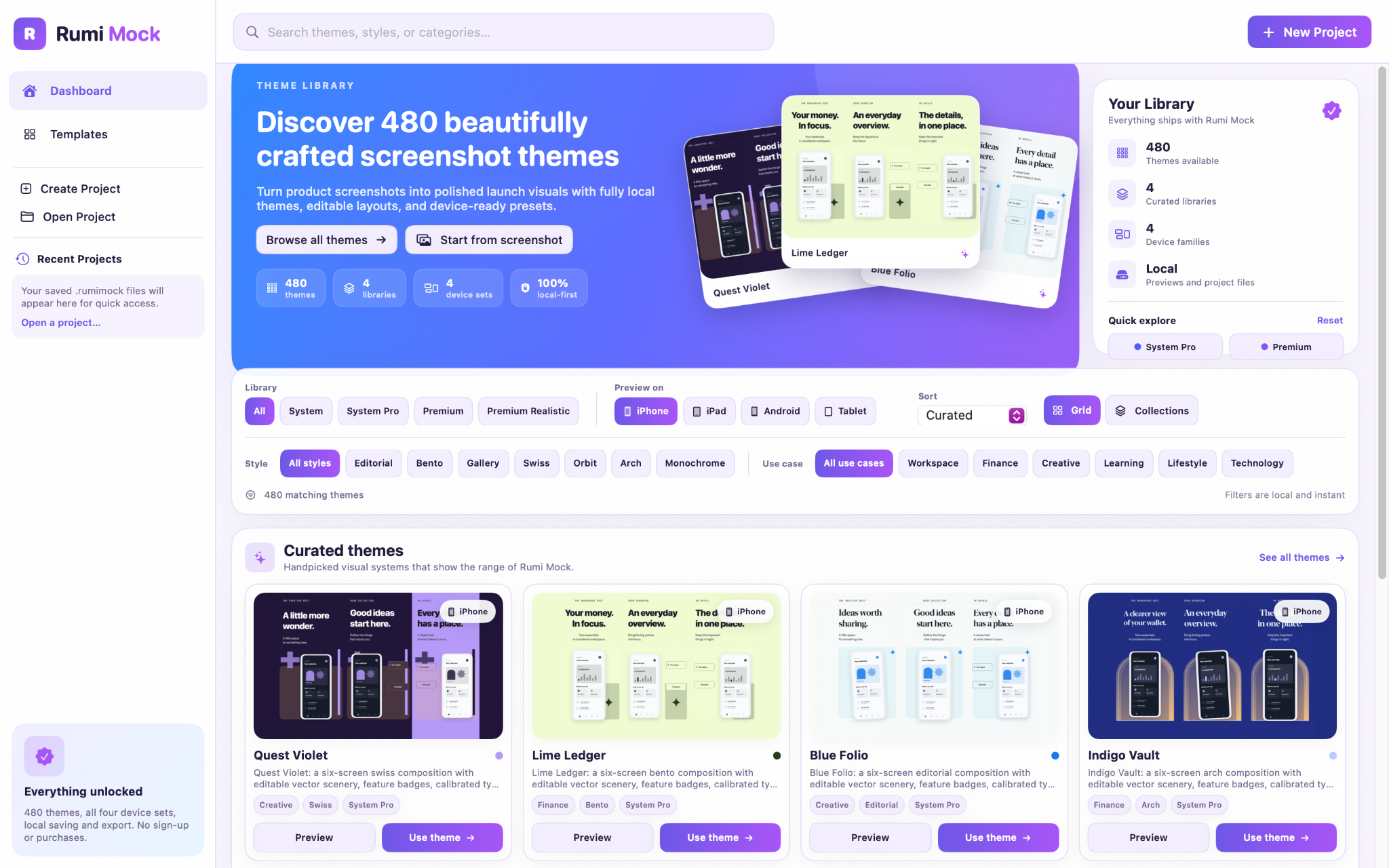
Actual app interface
The animation follows real product actions: browse the library, refine filters, inspect a theme, then start a project.
Curated starting points
480 themes. Four distinct libraries.
Every theme is built as editable artwork, not a flattened poster. Filter, preview and move from a designed starting point into the full editor.
System Pro130 themes · product storytelling
130Premium150 themes · expressive + graphic
150Realistic100 themes · studio-inspired
100Precise where it matters
Fast controls. No fragile layout tricks.
Rumi Mock keeps editing direct: linked device proportions, live handles, panorama-aware placement, repeatable frame layouts and explicit background controls.
01 · DEVICE GEOMETRYLinked by design
Resize without stretching the hardware.
Device width and height stay coupled to the selected frame family. Handles remain compact while the actual clickable target stays comfortable.
31%
67%
⌁ Proportions linked
02 · BACKGROUNDSPanorama or slide
One fill across the story—or one screen at a time.
Switch between solid, linear gradient, radial gradient and imported image fills without leaving the editor.
03 · EDITABLE LAYERSText · media · shapes
Move from template to art direction.
Edit copy, type personality, weight, alignment, colors, images, shapes and badges. Hide, lock, duplicate, nudge, reorder and rotate individual layers.
04 · PANORAMAOne canvas · many exports
Design the sequence as one continuous composition.
Objects can cross screen boundaries. Rumi Mock slices the panorama correctly at export, while page navigation keeps every screen easy to edit.
One project, the whole platform story
Four device families. Thirty-nine output presets.
Switch device families from the editor top bar and keep the project’s visual system intact while output dimensions and frame geometry update.
APPLE · APP STORE
iPhone screenshots, from standard App Store sizes to Duo.
Choose common 6.9-inch, 6.5-inch, 6.3-inch and additional iPhone outputs, plus editable iPhone Duo outer and inner displays.
✓Real, Clay or frameless device treatment
✓Cover or Contain screenshot fitting
✓Repeat frame layout across every screen
iPhone Duo is a first-class frame
Outer and Inner. Portrait and landscape.
The display aperture follows the published screenshot proportions while frame styling, screenshot data and layer settings stay editable.
1398 × 2034Outer · portrait2034 × 1398Outer · landscape2007 × 2853Inner · portrait2853 × 2007Inner · landscape
OUTERStay close
to the details.
to the details.
INNEROpen the story
without rebuilding.
without rebuilding.
A native workflow from start to finish
Files you own. Exports you control.
Rumi Mock keeps editable project ownership explicit: create or open, work in memory, save where you choose, reopen the same native document and export locally.
01
Create or open
Start from a theme or blank project, or open an existing native Rumi Mock file.
02
Save where you choose
First Save selects a destination. Save As adopts a new file. Normal saves update that exact document.
03
Keep everything editable
The project preserves sets, pages, layers, screenshot bytes, frame treatment and composition data.
04
Export locally
Render the current set or all device sets as PNG or JPEG from 0.5× to 2× scale.
THE FULL EDITOREverything that stays within reachDesigned for real production work
01Theme discoverySearch, filters, collections, previews and curated starting points.
02Screen managementAdd, duplicate, remove, navigate and compose across a panorama.
03Layer controlHide, lock, duplicate, delete, reorder, nudge, resize and rotate.
04TypographyEditable copy, design, weight, alignment, color and scale.
05MediaAdd images, replace device screenshots and choose Cover or Contain.
06Shapes + badgesSearch vector artwork, tune fills and strokes, edit badge content.
07Device treatmentPreset, frame style, angle, shadow, frame color and repeat layout.
08BackgroundsPanorama or slide-level solid, linear, radial and image fills.
09Native filesSave, Save As, Open, Finder reveal and unsaved-change protection.
10ExportCurrent/all sets, PNG/JPEG, scale control and JPEG quality.
Rumi Mock 1.1.16 · macOS 14+
Build screenshot artwork with the same care as the product.
One focused native studio for theme-driven composition, precise editing, multi-device adaptation and production-ready export.